Hello Coders.
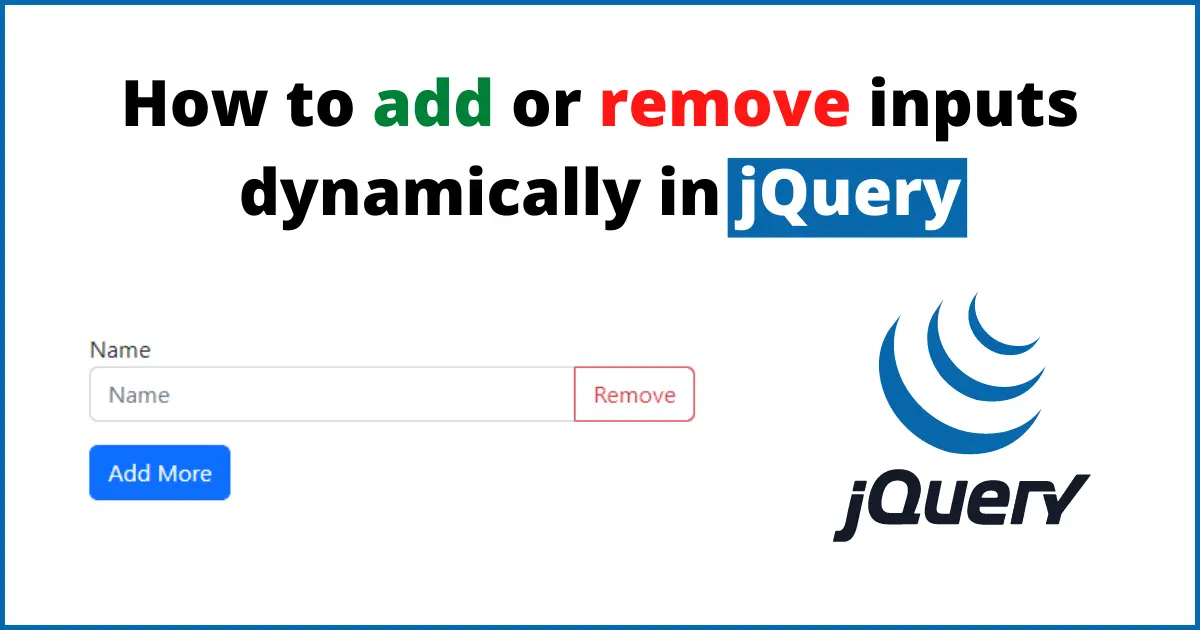
This article will give you a complete guide on How to add or remove inputs dynamically in jQuery. I'm going to write a simple code in this post to add or remove inputs dynamically with jQuery.
Step 1: Add jQuery and Bootstrap CDNs
First of all, we need to add jQuery to create add or remove inputs functionality. Bootstrap is not necessary to add, I have added Bootstrap to make a quick and simple form design. You can write your custom CSS for styling.
Here are the CDN links of jQuery and Bootstrap5:
<link rel=\"stylesheet\" href=\"https://cdn.jsdelivr.net/npm/[email protected]/dist/css/bootstrap.min.css\">
<script src=\"https://code.jquery.com/jquery-3.6.1.min.js\" integrity=\"sha256-o88AwQnZB+VDvE9tvIXrMQaPlFFSUTR+nldQm1LuPXQ=\" crossorigin=\"anonymous\"></script>
Step 2: Create a Simple Form
Let's create a quick HTML form, we will add just one input field for now. We will add more input fields dynamically in the next step.
...
<div class=\"container py-5\">
    <form method=\"post\" action=\"\">
        <div class=\"row\">
            <div class=\"col-lg-12\">
                <div id=\"formInputs\">
                    <div class=\"form-group mb-3\">
                        <label for=\"\">Name</label>
                        <div class=\"input-group mb-3\">
                            <input type=\"text\" class=\"form-control\" placeholder=\"Name\">
                            <button class=\"btn btn-outline-danger removeRow\" type=\"button\">Remove</button>
                        </div>
                    </div>
                </div>
            </div>
        </div>

        <button class=\"btn btn-primary submit-btn align-self-end\" id=\"addMore\">Add More</button>
    </form>
</div>
...
Step 3: Add inputs dynamically using jQuery
We have created a simple HTML form with only one input, now we will add more inputs dynamically using jQuery. So, let's write a few lines of code in jQuery.
<script>
    $(\"#addMore\").on('click',function(e){
        e.preventDefault();
        const html = `<div class=\"form-group mb-3\">
                        <label for=\"\">Name</label>
                        <div class=\"input-group mb-3\">
                            <input type=\"text\" class=\"form-control\" placeholder=\"Name\">
                            <button class=\"btn btn-outline-danger removeRow\" type=\"button\">Remove</button>
                        </div>
                    </div>`;
        $(\"#formInputs\").append(html);
    })
    $(document).on('click','.removeRow', function(e){
        e.preventDefault();
        $(this).parents('.form-group').remove();
    });
</script>
Full code
Here is the final code to add inputs dynamically using jQuery.
<!DOCTYPE html>
<html lang=\"en\">
<head>
    <meta charset=\"UTF-8\">
    <meta http-equiv=\"X-UA-Compatible\" content=\"IE=edge\">
    <meta name=\"viewport\" content=\"width=device-width, initial-scale=1.0\">
    <title>Document</title>
    <link rel=\"stylesheet\" href=\"https://cdn.jsdelivr.net/npm/[email protected]/dist/css/bootstrap.min.css\">
</head>
<body>

    <div class=\"container py-5\">
        <form method=\"post\" enctype=\"multipart/form-data\" autocomplete=\"off\" action=\"\">
            <div class=\"row\">
                <div class=\"col-lg-12\">
                    <div id=\"formInputs\">
                        <div class=\"form-group mb-3\">
                            <label for=\"\">Name</label>
                            <div class=\"input-group mb-3\">
                                <input type=\"text\" class=\"form-control\" placeholder=\"Name\">
                                <button class=\"btn btn-outline-danger removeRow\" type=\"button\">Remove</button>
                            </div>
                        </div>
                    </div>
                </div>
            </div>

            <button class=\"btn btn-primary submit-btn align-self-end\" id=\"addMore\">Add More</button>
        </form>
    </div>

    <script src=\"https://code.jquery.com/jquery-3.6.1.min.js\" integrity=\"sha256-o88AwQnZB+VDvE9tvIXrMQaPlFFSUTR+nldQm1LuPXQ=\" crossorigin=\"anonymous\"></script>
    <script>
        $(\"#addMore\").on('click',function(e){
            e.preventDefault();
            const html = `<div class=\"form-group mb-3\">
                            <label for=\"\">Name</label>
                            <div class=\"input-group mb-3\">
                                <input type=\"text\" class=\"form-control\" placeholder=\"Name\">
                                <button class=\"btn btn-outline-danger removeRow\" type=\"button\">Remove</button>
                            </div>
                        </div>`;
            $(\"#formInputs\").append(html);
        })
        $(document).on('click','.removeRow', function(e){
            e.preventDefault();
            $(this).parents('.form-group').remove();
        });
    </script>
</body>
</html>
Conclusion:
We have added jQuery and Bootstrap CDN links to start our working then we have created a simple HTML form using bootstrap styling. Bootstrap is not compulsory to add you can use your custom CSS code to style your form. We have added a few lines of jQuery code to handle adding and removing behavior of the inputs dynamically. You can use JavaScript ES6 also instead of jQuery.
I hope it will help you.
Happy Coding :)